Podcast clips: how to get 10 clips out of a one-hour episode (method and example)
An hour of conversation holds more good moments than you will ever post. The problem is not finding ten; it is choosing the right ten, cutting them so they stand alone, and putting them where people actually discover podcasts. Here is the method, the platform rules, and what the output looks like on our demo episode.


Contents
Why clips are where listeners come from
Podcasts are discovered on video, not in podcast apps. In France, Médiamétrie counts 48% of people aged 15 to 80 listening to podcasts every month, nine points more than three years ago, and 42% of monthly listeners discover new podcasts mainly through social networks or video sites. In the United States, Edison Research asked 2,010 people aged 13 to 24 how they most often discover podcasts: 28% by searching on YouTube, 26% through social media posts, 19% through friends or family. Among American Latino listeners, 47% first discovered podcasting on social media in 2024, against 30% in 2020. Spotify’s own study, quoted on its creator blog, puts 42% of listeners discovering new podcasts through Instagram, TikTok and Facebook. Four studies, four scopes, one direction: the clip is the front door.
And the episodes are long. Pew Research Center analysed 451 top-ranked American podcasts in 2022: six in ten averaged less than 50 minutes, 37% averaged an hour or more, and podcasts with video ran longer, 28% of them at 70 minutes or more. In June 2026, Edison Research measured an average of 54 minutes for the top 25 UK podcasts and 64 minutes in the US, while noting that “there is no magic number for episode length”. An hour is the norm at the top. Ten clips of a minute is a sixth of it; the other fifty minutes are what the clips are selling.
What each platform does with a clip
| Platform | The clip slot | Rules, as published |
|---|---|---|
| Spotify | A clip uploaded to the episode, shown on the show page and recommended on Home, the Podcast feed, Browse and Now Playing | One clip per episode, 15 to 90 seconds, 1 GB maximum, MP4 or MOV, vertical recommended. Spotify’s own advice: “include captions for viewers browsing without sound”, fill the screen, keep it short |
| YouTube | The video clips and Shorts tool in Studio cuts segments out of the long video; its transcript becomes the Short’s automatic captions | “You won’t be penalised for using your content in a video clip or Short”; podcast playlists should hold full episodes only; Shorts up to 3 minutes at 1080p |
| Apple Podcasts | No clip slot. Automatic transcripts, and a marketing kit with embeds, QR codes, badges and short links | Transcripts in 13 languages including French, 100 million episodes transcribed by March 2025; no translation between languages |
Spotify announced clips in November 2024 and had them “live in over 100 markets” by March 2025, with a candid reason: clips “might get tons of views on social media” but “don’t always translate into episode streams”, so the clip now lives where the episode does. YouTube’s podcast guide of October 2025 says it in one line: “Scour your main episode for the most compelling 60-second moments”, post them as Shorts, enable the Clips feature so viewers cut their own 5-to-60-second highlights, and add chapters to any episode over 20 minutes. For audio-only shows, YouTube Studio can turn audio into a Short of 8 seconds to 3 minutes with a generated visual, in English only and in four countries at the time of reading.
One rule to keep in mind on YouTube: a podcast there is a playlist with podcast features, and “this podcast should only contain full-length episodes”. Clips go on the channel as Shorts, linked to the episode as a related video, never inside the podcast playlist. The whole setup is in our guide to launching the video version of a podcast.
The method: from 60 minutes to 10 clips
- Transcribe with word timestamps.One line per sentence, each word with its start and end. Everything below is done on that text, not on the timeline.
- List complete ideas, not topics.A question with its answer. A story with its ending. A claim with its reason. An hour of conversation typically holds dozens; write them down with the line numbers where they start and end.
- Apply the three filters.Stands alone: a stranger understands the first sentence without the episode. Hooks in the first 3 seconds. Ends on its payoff. Drop the intro, the guest’s presentation, sponsors, logistics, sales pitches and duplicates. The full rule set, as written in flysub’s prompt, is in how an AI picks the best moment.
- Cut on sentences, 20 to 90 seconds.Ideally 30 to 60. Keep the question with the answer. Never cut inside a word: 180 milliseconds of air before the first word, 320 after the last.
- Reframe on the speaker.Vertical 9:16 on the face that talks; a split screen when both talk; the wide shot for laughter. The dimensions are in our 9:16 guide.
- Caption word by word.Two lines, about four words, in the safe zone; check the names and numbers; the first caption is the hook for the quarter of viewers who watch without sound.
- Title each clip with what it says.Seventy characters at most, promising nothing that is not in the clip. The episode title goes in the description: the 13-to-24-year-olds who search YouTube need to find the show from the Short.
- Rank, then spread.Best clip first, on the day of release; the other nine over two weeks. The release plan is below.
What the output looks like: our demo episode
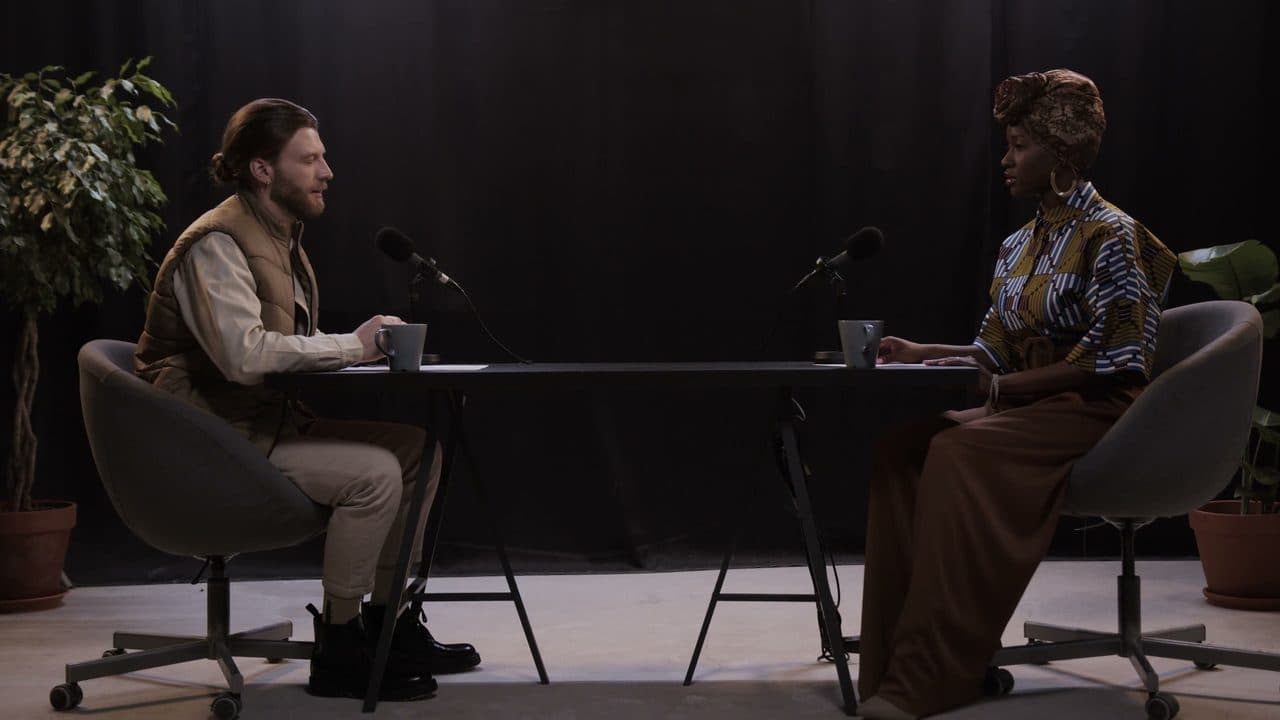
The podcast shown on our tool pages is a studio recording of 88 minutes, filmed by cottonbro studio and published on Pexels; the two people in it are actors and the dialogue is not real, so the titles, scores and subtitles are placeholders in the app’s exact format. What is real is the shape of the output: the timeline marks 15 proposed ranges, between 46 and 81 seconds long, which is a first batch of 10 plus one click on “5 more clips”. Four of them appear in the grid with their score and title, from 74 down to 60.
| Clip | Timecodes | Length | Score |
|---|---|---|---|
| Why the hardest part is just starting | 1:08:27 to 1:09:48 | 81 s | 74 |
| What nobody tells you about your first year | 8:20 to 9:18 | 57 s | 70 |
| From side project to full-time: the real story | 1:15:30 to 1:16:28 | 58 s | 65 |
| The one habit that changed everything | 13:47 to 15:08 | 81 s | 60 |
Look at the first one. Its hook line, “Honestly, the hardest part was just starting. Everything after that got easier.”, passes the three filters: it stands alone, it says something in the first 3 seconds, and it announces a payoff. Its length, 81 seconds, sits at the top of the 30-to-60 comfort zone because a complete idea often needs more than a minute. That is the shape every clip on your list should have.
When the recording is mixed on one track, the clips still work, but the per-speaker edit does not. The same demo file was run through Speaker Split for the tool pages, and that result is real: a 53 min 44 file separated into two voices, one speaking for 9 min 54, the other for 43 min 17. Two WAV tracks at 48 kHz, aligned on the original, from which the vertical reframe and the split screen follow.
Spreading ten clips over two weeks
| When | What | Where |
|---|---|---|
| Release day | The best clip, with the episode title in the description and the episode as related video | Spotify (the one clip slot), YouTube Shorts, Reels, TikTok |
| Days 1 to 5 | One clip a day, strongest first | Shorts, Reels, TikTok; one text post from the best idea |
| Days 6 to 10 | Two clips a week, including one in split screen or one answer to a comment | Shorts, Reels, TikTok |
| Days 11 to 14 | The two remaining clips, timed with the next episode’s teaser | Shorts, Reels; the next episode’s Spotify clip |
- One Spotify clip, the best one. Spotify allows one per episode; do not spend it on the second-best moment.
- Related video on every Short. It is the only link in a Short that leads to the episode; the steps are in our guide to making a Short from a long video.
- Chapters over 20 minutes. YouTube calls them “non-negotiable” for podcasts; they also tell you where the clips were.
- Keep the episode title in the Short’s description. The search on YouTube is the first discovery channel for the youngest listeners.
Frequently asked questions
How many clips can you get from a one-hour episode?
Dozens of complete ideas, of which ten are usually worth publishing. flysub proposes about one clip per 5 minutes of video, between 5 and 10 in a first batch, then 5 more on each click as long as the episode has some left. The ceiling is your audience’s patience, not the episode.
How long should a podcast clip be?
Between 20 and 90 seconds, ideally 30 to 60, cut on complete sentences. Spotify accepts 15 to 90 seconds, YouTube Shorts up to 3 minutes, and YouTube’s own podcast guide talks about “60-second moments”. A complete 75-second idea beats a 45-second idea cut short.
Where should podcast clips be posted?
Where listeners discover podcasts: YouTube search and short video first for the under-25s, social networks and video sites for 42% of French monthly listeners. One clip on Spotify per episode, the rest as Shorts, Reels and TikToks, with the episode title in the description.
What if the two voices are on one track?
The clips still work, the per-speaker reframe does not. Speaker Split separates a mixed audio or video file of up to 3 hours into one 48 kHz WAV per person, with automatic detection or 2 to 6 voices; on our demo file, a 53-minute recording came out as two tracks of 9 minutes 54 and 43 minutes 17 of speech.
Does YouTube penalise clips cut from the episode?
No. YouTube Help states that “you won’t be penalised for using your content in a video clip or Short”. The only rule is to keep the podcast playlist for full episodes and post the clips as Shorts on the channel.